Work-order intake · sample automation
Requests come in as emails and PDFs.
They leave as work orders a person approved.Emails and PDFs in. Approved work orders out.
Mesquite & Iron is a fictional Phoenix facilities contractor. This desk reads each request, pulls out the job, names what is missing and drafts the follow-up. Nothing is sent until a person approves it.

One request, start to finish
From the inbox to a truck in the lot, with one person signing off.
Valley property managers send work by email, PDF form and forwarded thread. Here is what this desk does with one of them. Every frame is the app above, captured as it runs.
01Email in
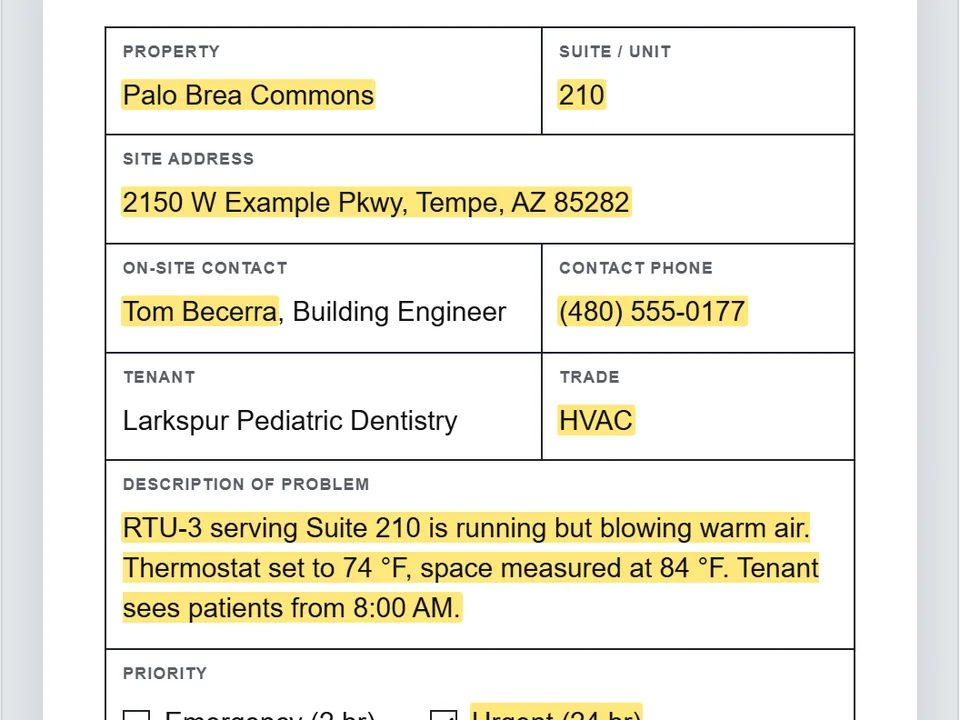
A PDF work-request form arrives attached to an email. It is read where it lands; nothing is uploaded.
02Fields out
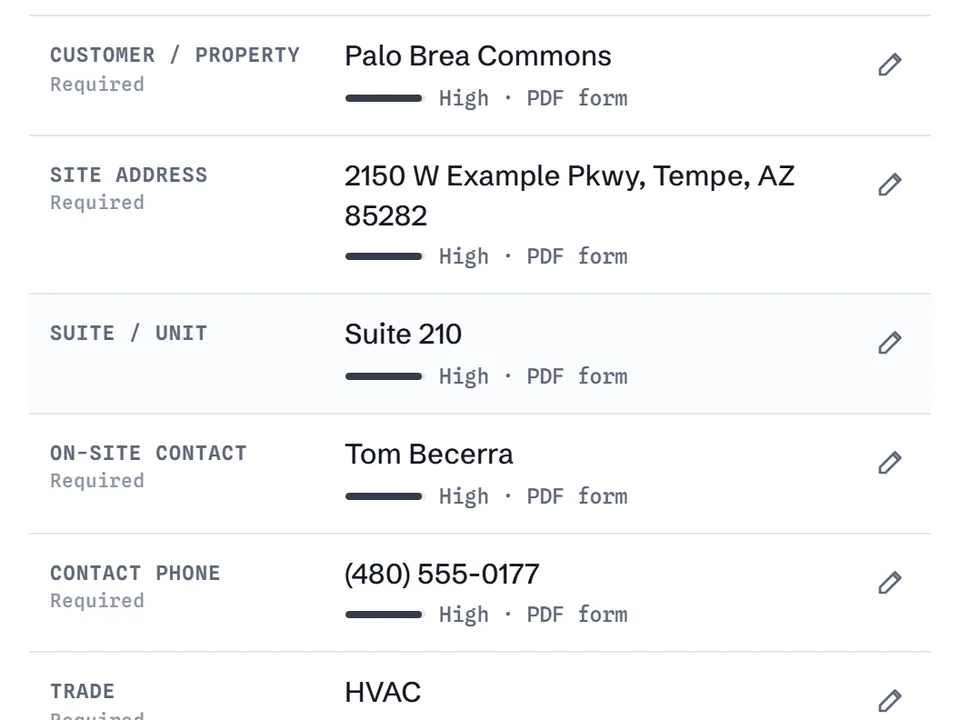
Thirteen fields, each with a visible confidence and a link back to the exact words it came from.
03Flags
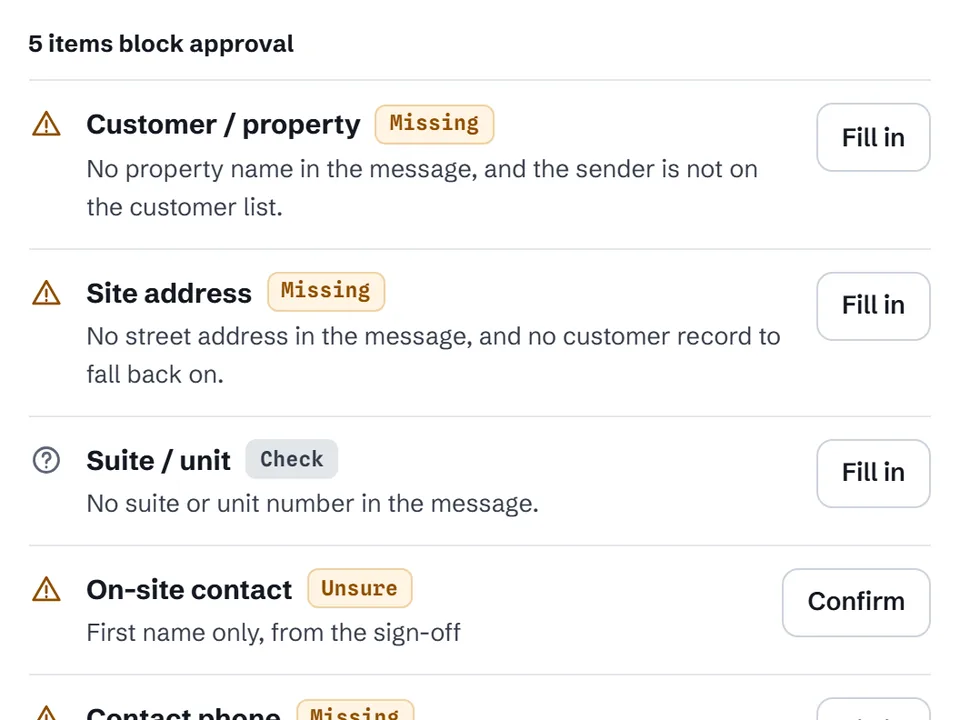
"Back door won't lock" with no address, no phone and no PO. Each gap is named, and a reply asking for exactly those is drafted.
04Approval
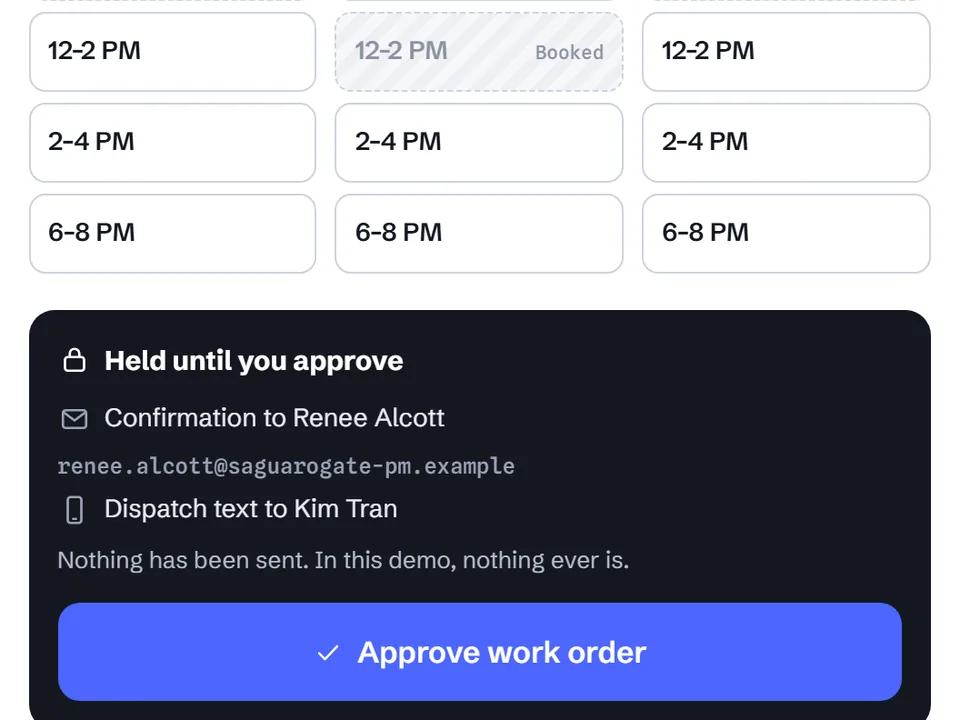
A coordinator picks the tech and the slot. The approve button is the only way anything leaves.
05Nothing sent
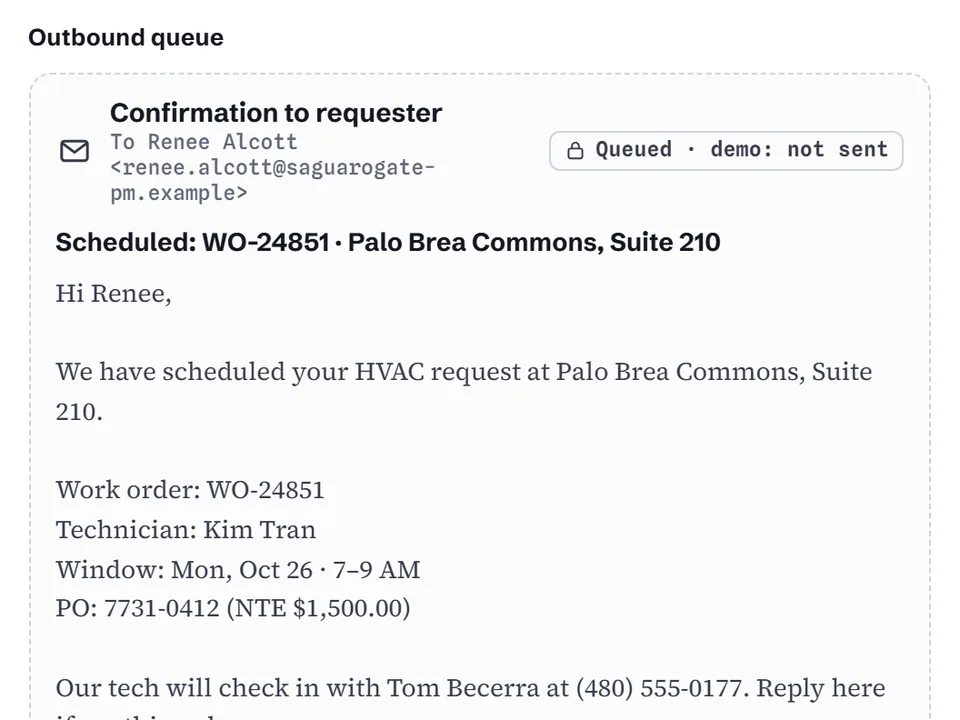
The confirmation and the dispatch text wait in a queue. In this demo they are never sent.
06On the truck
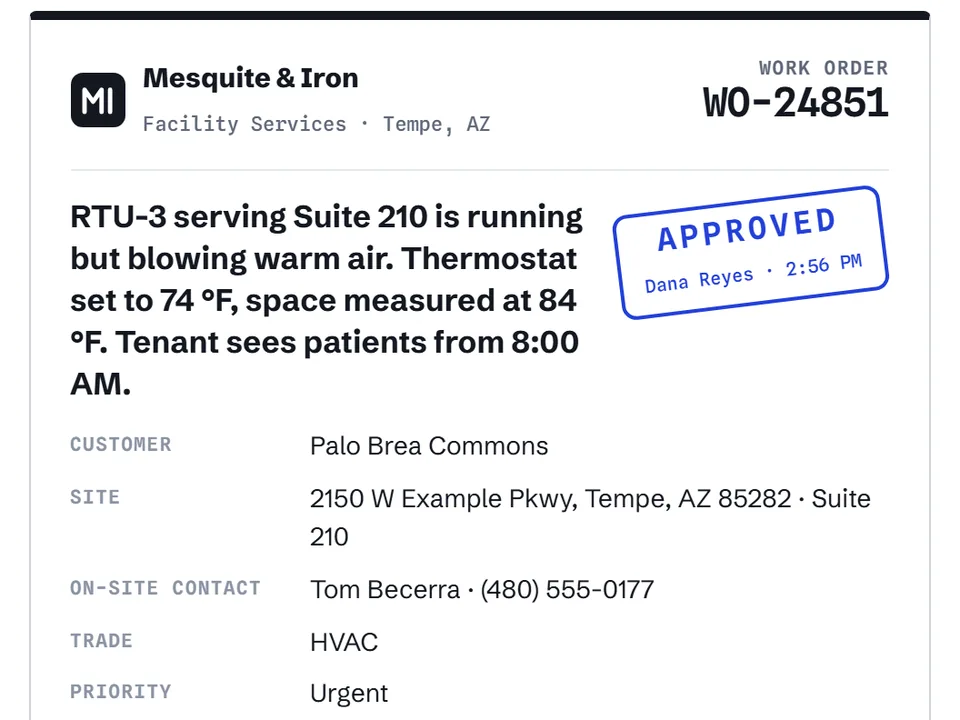
The tech gets one printed or phone-ready work order: right suite, access notes and PO, stamped by the person who approved it.


What is real in this demo
- Sample data. Mesquite & Iron, the properties, managers, tenants and techs are fictional. Phone numbers use 555 and email addresses use example domains.
- Runs in your browser. Extraction is rule-based JavaScript on this page. There is no AI service and nothing you paste is uploaded.
- Nothing is sent. Replies, confirmations and dispatch notices are drafts or queued items marked "demo: not sent".
- Saved only here. Your edits stay in this browser. Reset demo puts the inbox back.